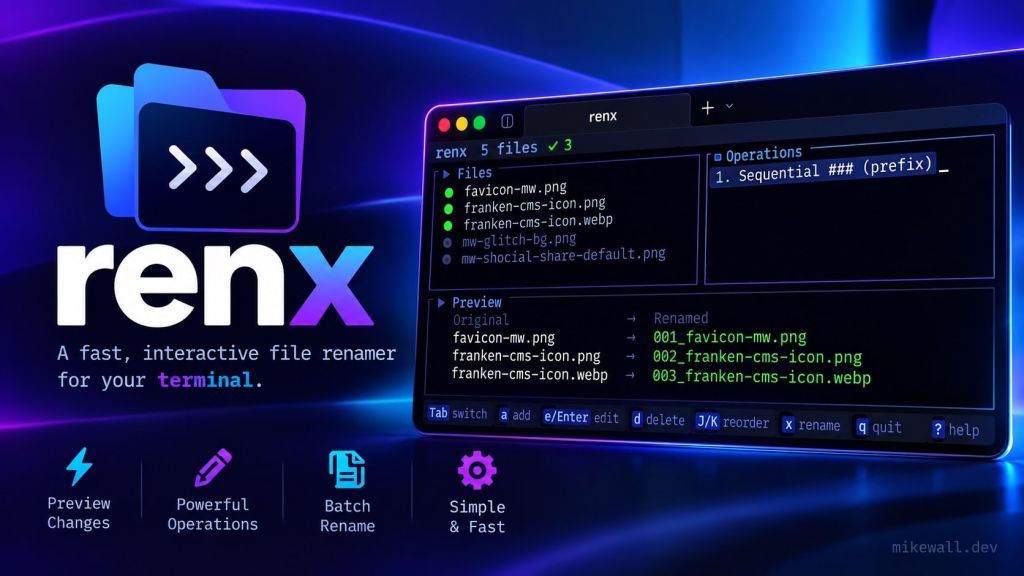
Renx is a terminal user interface for safely renaming large groups of files without leaving the command line.
Instead of wrestling with long shell commands or renaming files individually, Renx provides a three-panel interface where you can browse and select files, build a stack of rename operations, and preview the final results in real time.
Rename operations can be combined and reordered to create more advanced workflows. Renx supports find and replace, regular expressions, sequential numbering, case conversion, prefixes, suffixes, pattern removal, and filename slugification.
Before any changes are made, Renx displays exactly what each filename will become and highlights potential conflicts. This makes it easier to experiment with complex renaming rules without accidentally overwriting files or producing duplicate names.
Renx accepts directories and glob patterns, supports recursive file discovery, and includes wildcard filtering for quickly narrowing down large file lists. It is built in Rust using Ratatui and Crossterm, giving it a responsive interface while remaining lightweight and easy to run from the terminal.
I created Renx for situations where basic rename commands are too limited, but opening a full desktop application feels unnecessary. It brings the visibility and control of a graphical batch-renaming tool into a keyboard-driven terminal workflow.